ML Project Deployment using Github Actions & AWS Beanstalk
Introduction
One thing I am lacking is deployment knowledge, which came up again and again during my last semesters' job interviews. I will fix that today.
I will be combining 2 tutorials to utilise both Github Actions and AWS Beanstalk. The original tutorial on using github actions pushes the code to huggingface instead of AWS but I believe there will be more value in learning AWS, especially in debugging configurations compared to the more hassle free deployment of gradio apps to hugging face.
Project Code
For the full breakdown, please refer to the Projects page: End-to-end ML Deployment.
All full code snippets will be documented within the projects page.
Resources
AWS Beanstalk:
- Tutorial 9-End To End ML Project-Deployment In AWS Cloud Using CICD Pipelines
- Day 81: Deploying an ML Project to AWS Cloud Using CI/CD
CI/CD using github actions:
Progress
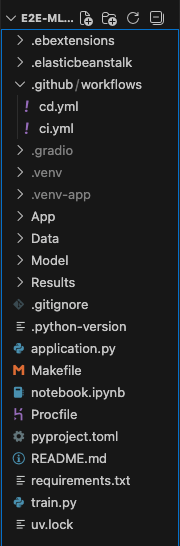
I've utilised the datacamp tutorial to set up the file structure and experimented in recreating the ci.yml pipeline. Given the tutorial was 2 years old, there were some removed features for model loading from skops that requires refactoring.
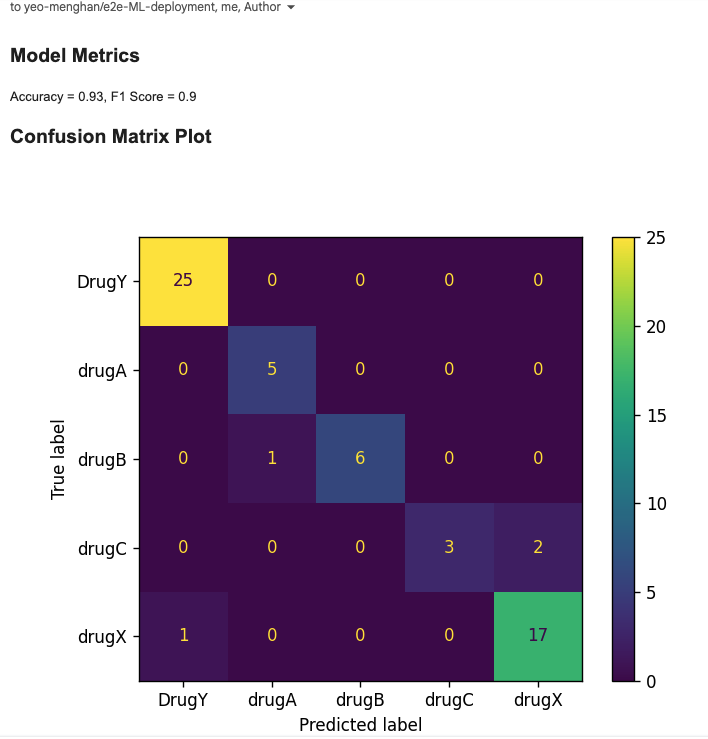
The ci.yml is pretty cool because it actually sends a report of the model's metrics to the user's email:
The harder part was creating the cd.yml and AWS configurations. Using GPT-5.2-instant, I've troubleshooted and created a working cd.yml pipeline which triggers after the completion of ci.yml. I've also added .elasticbeanstalk config.yml, .config files and .ebextensions. The gradio app also needs some configuration to suit the beanstalk environment.
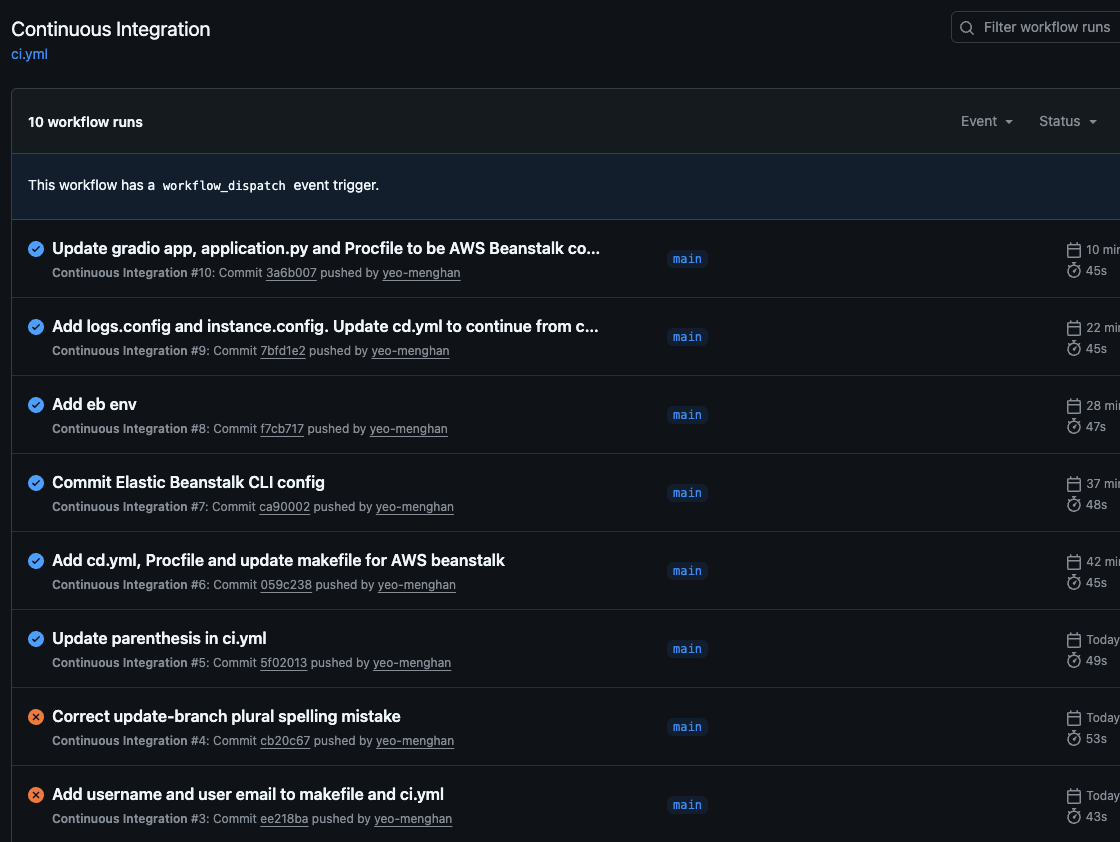
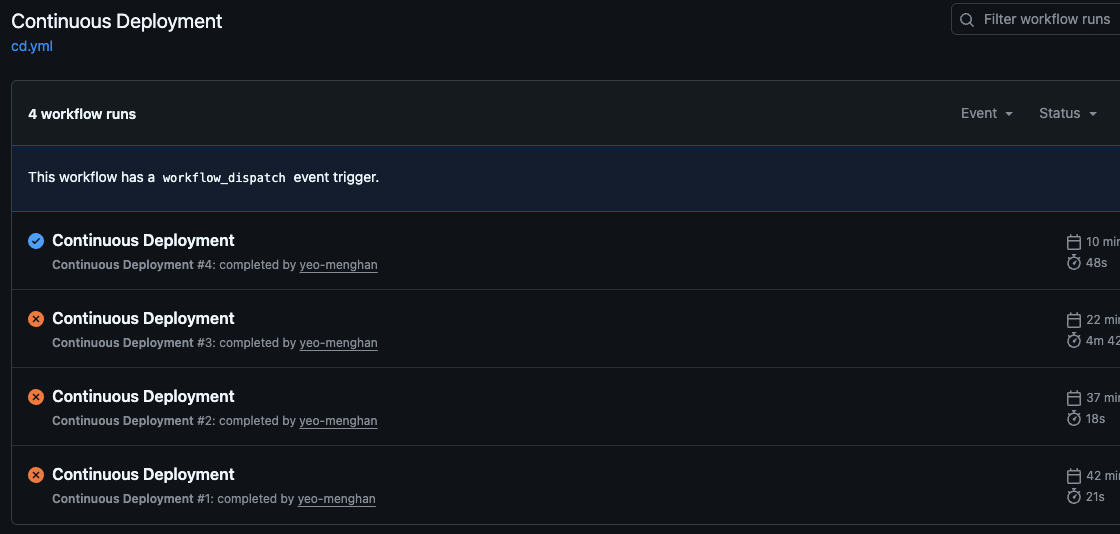
The hardest part was porting over my previous AWS configurations (from my school account) to my personal account for future usage. This requires the creation of access keys with adminRoles and re-configuring the aws credentials and config on my laptop.
These are some helpful commands to establish your aws account locally
aws sts get-caller-identity
unset AWS_PROFILE
nano ~/.aws/config
nano ~/.aws/credentials
aws configure # should ensure that the config is default
Results
However, I'm met with an unexpected 502 Bad Gateway after successfully deploying the beanstalk environment. Troubleshooting will continue for Day 2 of the challenge but I believe it may have to do with Nginx and gradio.

Additional TODOs:
- There's an issue with storing the data directly on github - how can we make sure the data is kept private?